

When you are spending $1,000 or more on an outdoor TV, the smart platform built into it matters — you will use it every time you turn the TV on, for years. Google TV and Roku are the two most common platforms in the outdoor TV market in 2026. This article explains what each does well and where each falls short, specifically in the context of outdoor use.
What Google TV and Roku TV Actually Are
Google TV is Google's smart TV operating system, built on Android TV. It aggregates content from across your streaming subscriptions into a single recommendations interface, supports Google Assistant voice search, and runs on the Google Play Store's app ecosystem (source: Tom's Guide, November 2024).
Roku TV is Roku's smart TV platform — the same software that runs on Roku streaming sticks, now built directly into TVs. It has a deliberately simple, tile-based interface and one of the broadest app selections of any smart TV platform.
Interface and Ease of Use
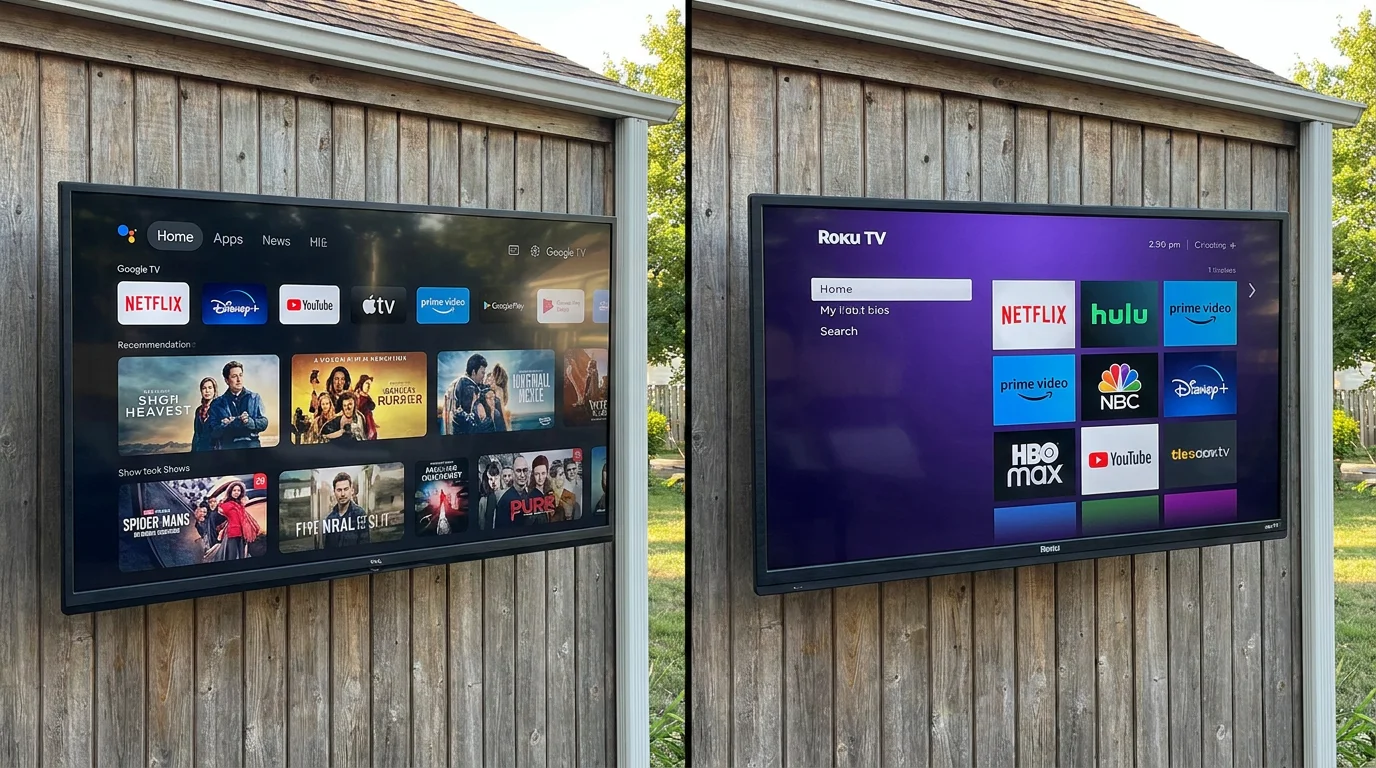
Roku's interface is significantly simpler. The home screen is a single row of app tiles. There is no algorithmic content feed, no cross-app recommendation engine, and no account required to use basic features. For users who want to open the TV, press one button, and get to their content fast, Roku delivers that experience consistently.
Google TV is more complex by design. The home screen mixes content recommendations from multiple apps, your watchlist, live TV, and apps into a layered interface. This is powerful if you have multiple subscriptions and want a unified discovery experience, but it requires a Google account, more setup time, and a comfort level with a denser UI.
For outdoor use specifically — where you are often setting up quickly before guests arrive, or handing a remote to someone unfamiliar with the TV — Roku's simplicity is a practical advantage.
App Availability
Both platforms cover all major streaming services: Netflix, Disney+, Max, Apple TV+, Hulu, Peacock, YouTube, Amazon Prime Video, and Spotify are available on both. The gap shows up in niche or regional apps. Roku has historically had broader app availability — it supports more channels and has a longer track record with third-party developers (source: PCMag streaming device comparison, March 2026).
Google TV has caught up significantly in 2025–2026 and now covers virtually every mainstream app. The practical difference for most users is minimal unless you rely on a very specific regional or niche app.
Voice Search and Smart Home Integration
Google TV's voice search is genuinely more capable. Asking "show me action movies from the 1990s" or "find episodes of The Office on any service I subscribe to" returns accurate cross-app results. Google Assistant integration also lets you control smart home devices, check weather, and set reminders from the TV remote.
Roku's voice search works well for direct searches — finding a specific title or opening an app — but cross-app discovery is more limited.
For outdoor setups integrated into a smart home (automated lighting, outdoor speakers, security cameras), Google TV's Assistant integration is a meaningful advantage.
Software Updates and Long-Term Support
Both platforms receive regular software updates. Google TV benefits from Google's broader Android ecosystem investment, which means frequent feature updates and security patches. Roku has a strong track record of updating older hardware — Roku sticks from 2019 still receive current software, which suggests good long-term support for TV-integrated versions as well.
Which Platform Is on Which Outdoor TVs
In the outdoor TV market, Google TV appears on a growing number of models including several ByteFree and mid-tier outdoor panels. Roku TV is common on Furrion Aurora outdoor TVs and some SunBrite models. Samsung outdoor TVs (The Terrace) run Tizen, Samsung's proprietary platform — capable but not directly comparable to either.
Who Should Choose Google TV
- You have multiple streaming subscriptions and want unified content discovery
- You use Google Assistant or have Google smart home devices
- You want a platform with a broad international app library
- You are comfortable with a more complex initial setup
Who Should Choose Roku TV
- You value simplicity and fast access above all else
- Multiple family members or guests will use the TV without guidance
- You primarily use two or three specific streaming apps and do not need cross-app discovery
- You prefer a platform with no mandatory account sign-in for basic use
Who Will Not Notice a Difference
If you primarily use your outdoor TV to watch one or two streaming services — say, YouTube and Netflix — the platform choice matters very little. Both launch those apps quickly and reliably. Spending time worrying about Google TV vs. Roku when your actual use case is "Netflix on weekend evenings" is over-optimizing. Choose the TV with the better panel specs and weatherproofing for your environment, and let the platform be a secondary factor.
For guidance on what weatherproofing specs actually mean, see Outdoor TV in Rain: What IP Ratings Actually Mean. If you are still deciding on size, What Size Outdoor TV Do I Need walks through the viewing distance math.

0 comments