

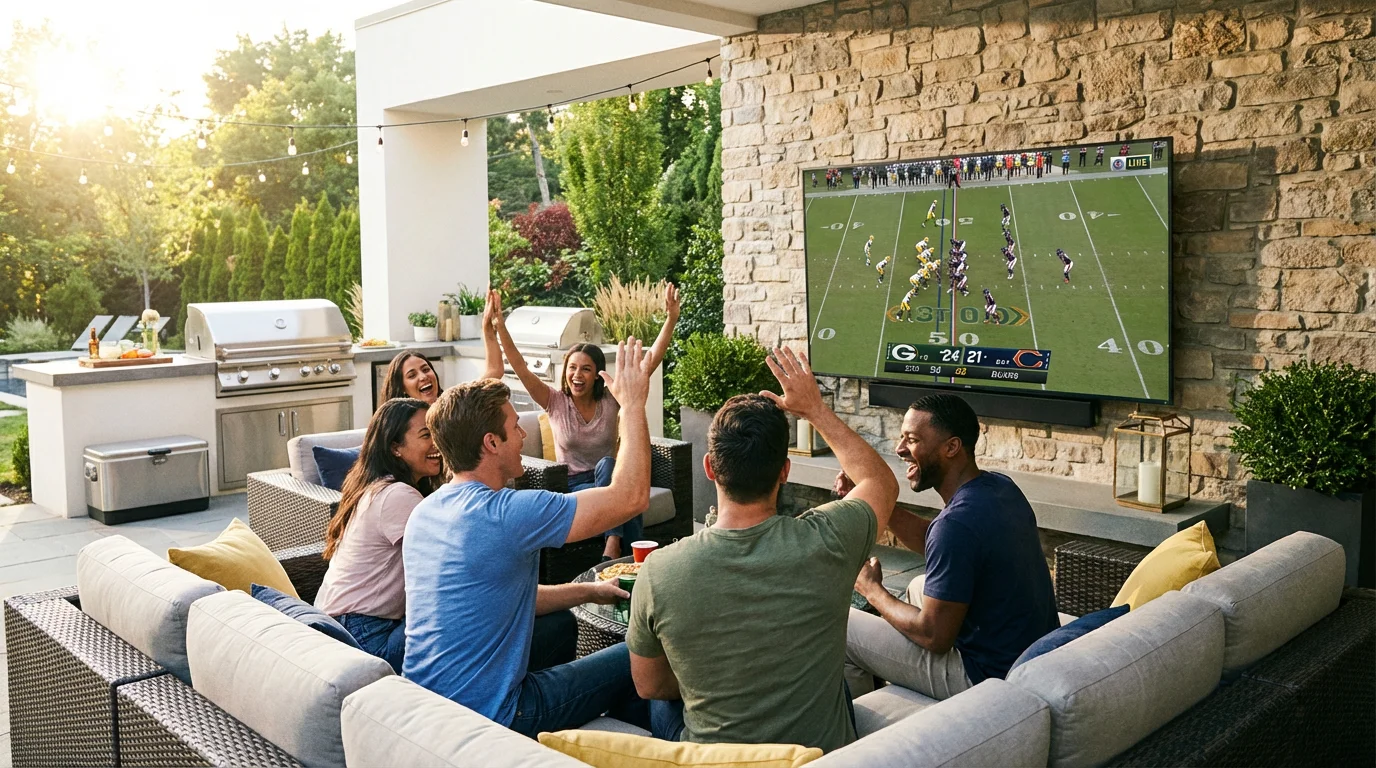
Watching sports outdoors is one of the most common reasons people buy an outdoor TV — and one of the most demanding use cases. Bright afternoon sun, fast-moving action, and the need for clear audio in an open space all put pressure on specs that don't matter as much for casual evening viewing. Getting the right TV for outdoor sports means understanding which specs actually translate to a better experience and which are marketing noise.
The Three Specs That Actually Matter for Sports
Brightness (sustained nits). Sports are often watched during peak daylight hours — weekend afternoon games, evening matches while it's still light. This is when ambient light is at its highest and screen visibility is most demanding. Popular Mechanics (March 2026) recommends a minimum of 1,000 nits for covered outdoor areas and 1,500 nits or more for direct sun exposure when sports viewing is a priority. These are sustained brightness figures — peak brightness numbers from manufacturers are typically 30–50% higher than what the panel maintains during a full-screen scene. See the nits guide for a full explanation of peak vs. sustained brightness.
Refresh rate (120Hz minimum). Refresh rate determines how many times per second the TV redraws the image. At 60Hz, fast lateral movement — a player running across the frame, a ball in flight — can appear slightly blurred. At 120Hz, motion is noticeably sharper and more fluid. Popular Mechanics specifically calls out 120Hz as a recommendation for outdoor sports viewers. Most purpose-built outdoor TVs at the 1,000+ nit tier now ship with 120Hz panels; confirm this before purchasing, as some entry-level outdoor models still use 60Hz.
Anti-glare coating. A high-brightness screen that also reflects sunlight back at viewers is self-defeating. An effective anti-glare coating diffuses reflected light without significantly affecting image clarity. Most purpose-built outdoor TVs include matte anti-glare treatment; some use more aggressive anti-reflective coatings. If possible, view a demo unit in bright conditions before purchasing — anti-glare effectiveness varies meaningfully between models at similar price points.
Positioning: The Setup Decision That Affects Every Game
Even the best outdoor TV for sports will underperform in a bad location. Two positioning factors matter most:
Sun angle relative to screen. Avoid mounting positions where the sun will be directly behind or at a low angle in front of viewers during your peak sports-watching hours. A west-facing screen is backlit by afternoon sun — exactly when weekend games run. An east-facing screen faces morning glare. North-facing installations are typically the most forgiving for afternoon sports. If your mount location is fixed, a full-motion mount that lets you angle the screen away from direct sun angle is worth the upgrade cost.
Viewing distance and screen size. For sports content, detail in the image — player numbers, ball position, graphics overlays — matters more than for general entertainment. A screen that's too small at your viewing distance loses that detail. A practical starting point: screen diagonal in inches ≈ viewing distance in inches ÷ 1.5. For a 15-foot (180-inch) viewing distance, that suggests a 120-inch screen — but most residential setups land on 65–75 inches as a practical balance between visibility and cost. Err toward the larger size within your budget for sports use specifically.
Audio Outdoors for Sports
Built-in TV speakers rarely fill an outdoor space adequately for sports — crowd noise, commentary, and ambient backyard sound compete against each other in a way that doesn't happen indoors. An outdoor-rated soundbar or weatherproof Bluetooth speakers are a meaningful upgrade for sports viewing specifically.
For soundbar integration, HDMI eARC support on the TV enables full-quality audio passthrough including Dolby Atmos content. Confirm eARC (not just ARC) if audio quality matters — ARC supports compressed audio; eARC supports lossless formats. Most premium outdoor TVs at the 1,500-nit tier now include HDMI 2.1 with eARC; check spec sheets for models in the 700–1,000 nit range.
Smart Platform and Streaming
Sports broadcasting has fragmented significantly across streaming services — NFL+, Peacock, Paramount+, ESPN+, Amazon Prime Video — alongside traditional cable/satellite. An outdoor TV with a built-in smart platform (Google TV, Roku TV, Fire TV) lets you access all of these without a separate streaming device exposed to outdoor conditions. Google TV in particular aggregates content across services into a unified search, which simplifies finding live games across multiple subscriptions.
If your outdoor TV doesn't have a built-in smart platform, a streaming stick in a weatherproof enclosure is an option — but adds cost and a point of failure.
What to Skip
8K resolution is not meaningfully relevant for outdoor sports viewing at residential viewing distances and screen sizes. At 65 inches and 15 feet, the difference between 4K and 8K is imperceptible to most viewers. Spend the resolution premium on brightness or refresh rate instead.
HDR specs beyond basic HDR10 matter less outdoors than indoors. HDR performance depends on the TV producing deep blacks — which outdoor ambient light prevents. Dolby Vision and HDR10+ deliver their full benefit in dark viewing environments. For outdoor sports in daylight, brightness and anti-glare performance have far more impact on image quality than HDR tier.
Who Doesn't Need a Sports-Focused Spec
If you watch sports primarily after dark in a covered, shaded location — the ambient light challenge largely goes away. In that scenario, a 700–800 nit TV with 120Hz is likely sufficient, and spending for 1,500 nits is unnecessary. The sports-specific case for high brightness applies specifically to daytime and early-evening viewing in ambient light.
Similarly, if sports is occasional — a few games per season — a general-purpose outdoor TV at a lower brightness tier may be adequate. The 1,500+ nit, 120Hz spec combination is most justified when sports is a primary and frequent use case in sunlit conditions.
Summary
- Brightness: 1,000 nits sustained minimum for covered/shaded sports viewing; 1,500+ for direct sun (Popular Mechanics, March 2026)
- Refresh rate: 120Hz minimum — 60Hz produces visible motion blur on fast sports content
- Anti-glare coating: Confirm it's included and effective — view in bright conditions if possible before purchasing
- Positioning: Avoid sun-facing mounts during peak viewing hours; use full-motion mount for flexibility
- Audio: Built-in speakers rarely suffice for outdoor sports; budget for an outdoor-rated soundbar
- Skip: 8K resolution and premium HDR tiers — both are less impactful outdoors than brightness and refresh rate
For a side-by-side comparison of specific outdoor TV models across brightness tiers, see the 55-inch outdoor TV comparison. If you're still deciding between an outdoor TV and a projector for your setup, the outdoor TV vs. projector comparison covers that tradeoff in detail.
One option worth considering for daytime sports use: the ByteFree 55" Outdoor TV runs at 1,500 nits sustained with a 120Hz panel, HDMI 2.1 eARC, Google TV, and IP55 weatherproofing — the spec combination that covers the main sports-viewing requirements at the $1,599 price point.
FAQ
Does refresh rate matter as much outdoors as indoors for sports?
Yes — fast motion clarity is a function of refresh rate regardless of whether you're indoors or outdoors. The ambient light challenge outdoors makes the image harder to see overall, which makes motion blur from a low refresh rate more noticeable, not less. 120Hz is the right minimum for sports use.
Can I use a regular indoor TV outside for sports occasionally?
For occasional use in a fully covered, dry location with no direct sun, an indoor TV may produce an acceptable image in the evening. In daylight, a standard indoor TV (typically 300–500 nits) will be visibly washed out — the image becomes difficult to follow during fast action. For regular daylight sports viewing, a purpose-built outdoor TV is the right tool.
What's the best screen size for outdoor sports viewing?
Larger than you'd choose for the same viewing distance indoors, because outdoor ambient light and viewing conditions make it harder to read fine detail. At 12–15 feet viewing distance, 65–75 inches is a common recommendation for sports. Measure your actual seating distance and size up rather than down when sports is a primary use case.
Do I need a 4K TV for sports outdoors?
4K is standard on purpose-built outdoor TVs at this price tier and is worth having for future-proofing. However, the practical image quality improvement over 1080p at typical outdoor viewing distances and in bright ambient conditions is modest. If a choice exists between a brighter 1080p model and a dimmer 4K model at the same price, brightness wins for outdoor sports use.

0 comments