

An outdoor TV is a year-round investment — but winter is when most problems occur. Condensation, freezing temperatures, and non-breathable covers are responsible for the majority of cold-weather damage reports. The good news: most of these failures are preventable with a few specific steps taken before the temperature drops.
This guide covers what actually damages outdoor TVs in winter, what your TV's cold-weather ratings mean in practice, and what to do before, during, and after winter to protect the investment.
What Cold Weather Actually Does to an Outdoor TV
Understanding the failure modes helps you prioritize the right protections:
Condensation is the primary risk. When a cold TV is powered on and begins warming up faster than the surrounding air, moisture condenses on internal components — the same way a cold glass sweats in a warm room. This condensation can cause short circuits and corrosion on circuit boards. It's most likely during rapid temperature swings: a cold snap followed by a warm afternoon, or moving a TV from cold storage into a warm environment and powering it on immediately.
LCD panel damage below operating range. LCD panels contain liquid crystals that thicken and respond more slowly at low temperatures. Operating an LCD TV below its rated minimum temperature can cause sluggish response, image artifacts, and — in severe cases — permanent panel damage. Each TV has a minimum operating temperature listed in its spec sheet; this is the hard lower limit for powered use.
Plastic and seal degradation over time. Repeated freeze-thaw cycles stress the plastic housing and rubber seals around ports and edges. This degradation is gradual and cumulative — a TV that survives one harsh winter may develop small cracks or seal gaps by its third or fourth. Keeping the TV covered during extended non-use periods slows this process significantly.
Moisture ingress through covers. A counterintuitive risk: a fully sealed, non-breathable TV cover can trap humidity against the TV's surface. When temperatures drop overnight, that trapped moisture condenses inside the cover rather than dispersing — sometimes causing more moisture exposure than leaving the TV uncovered in dry conditions. Breathable covers designed specifically for outdoor electronics prevent this (BBQ Guys, Nov 2025).
Reading Your TV's Cold-Weather Ratings
Two temperature specifications matter for winter use, and they are different numbers:
Operating temperature range is the range within which the TV can be safely powered on and used. A common range for purpose-built outdoor TVs is 14°F to 122°F (-10°C to 50°C). Do not power on the TV if ambient temperature is below this floor — let it warm up to within the operating range first.
Storage temperature range is the range within which the TV can safely remain unpowered — including left mounted outdoors through winter. This range is typically wider: a common spec is -22°F to 122°F (-30°C to 50°C). If your winter lows stay above the storage temperature floor, the TV can remain mounted and powered off without damage.
Check both numbers against your local climate before deciding whether to leave the TV mounted or bring it indoors for winter. If your region regularly sees temperatures below the storage range, the TV should come indoors or go into a temperature-controlled enclosure.
Before Winter: Steps to Take in Fall
Clean the screen and housing. Pollen, insects, and debris that accumulated over summer can trap moisture against the screen and housing through winter. Use a soft microfiber cloth — no abrasives or standard glass cleaners, which damage anti-glare coatings. Clean all port covers and reseat any that have worked loose.
Inspect and reseal cable penetrations. Silicone sealant around wall penetrations and mount hardware can crack or shrink over time. Run your finger along all sealed edges — any gaps or cracks should be resealed before winter moisture sets in. Pay particular attention to where cables enter the wall and where the mount contacts the wall surface.
Check mount hardware for corrosion. Tighten any hardware that has shifted and look for rust or corrosion on bolts and bracket surfaces. Corroded hardware should be replaced before winter stresses it further. If you used stainless steel or hot-dipped galvanized hardware at installation, corrosion should be minimal even after several seasons.
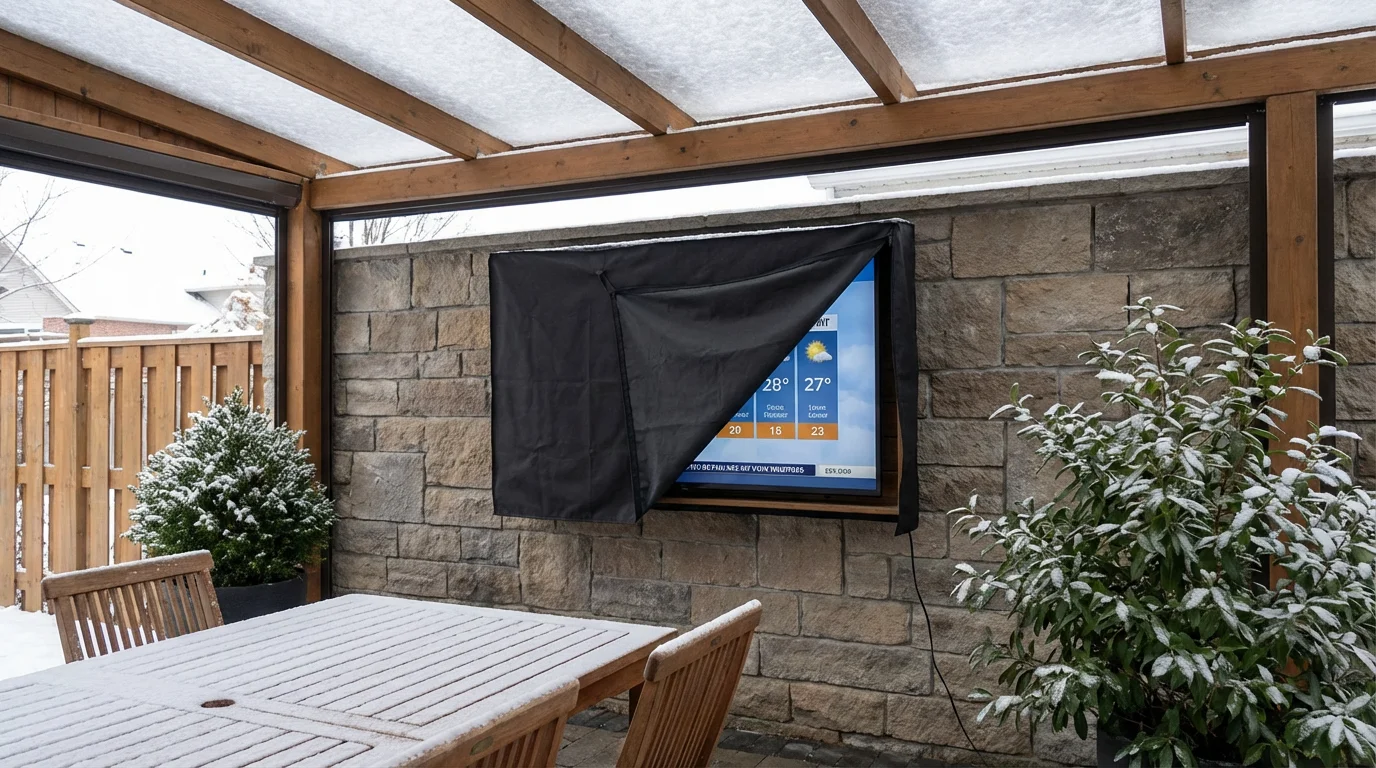
Install a breathable weatherproof cover. Choose a cover designed specifically for outdoor TVs — not a generic tarp or plastic sheet. Key features to look for: a breathable material (polyester with a water-resistant but moisture-permeable weave), a secure fit that won't blow off in wind, and UV resistance for the cover material itself. Covers from dedicated outdoor TV brands (SunBrite, The TV Shield) are designed around these requirements; generic tarps typically are not.
Decide: leave mounted or bring indoors? Compare your expected winter lows against the TV's storage temperature rating. If the TV will stay mounted, the breathable cover is essential. If you're bringing the TV indoors, store it in a dry location away from temperature extremes — a climate-controlled garage or basement is ideal. Do not store it in an unheated shed if temperatures there will drop below the storage rating.
During Winter: If the TV Stays Mounted
Allow warm-up time before powering on in cold weather. If the TV has been exposed to temperatures near or below its operating minimum, give it 30–60 minutes to warm up to ambient room temperature before powering on. This is especially important after an overnight freeze — condensation on internal components needs time to dissipate before the unit heats up from operation.
Keep the cover on during non-use periods. The cover does its main work between viewing sessions — during overnight freezes, rainstorms, and extended non-use stretches. Remove it before use and replace it after the TV has cooled down from a viewing session (covering a hot TV can trap excess heat and humidity).
Don't operate in precipitation. IP55 ratings cover water jets and rain during normal use — they're not designed for extended operation during heavy sleet or snow accumulation. If precipitation is heavy, power down and cover the TV rather than leaving it running.
After Winter: Spring Restart
Inspect before first use. Check all seals, port covers, and mount hardware after winter. Look for any new cracks in the housing, loosened seals, or hardware showing new corrosion. If the TV was covered, inspect the cover for tears or areas where moisture may have pooled.
Allow full warm-up after winter storage. If the TV was stored indoors through winter, bring it to the installation location and allow it to acclimate to outdoor ambient temperature for at least an hour before powering on — especially if moving from a warm indoor space to a cold spring day, or vice versa. Rapid temperature changes are a condensation risk regardless of direction.
Test all connections. Reconnect any cables disconnected for winter and test all inputs before assuming everything is working. Cable connectors exposed to outdoor conditions can develop corrosion at contact points even when the cables themselves appear intact.
Who Doesn't Need to Worry Much
If you live in a climate where winter lows stay comfortably above 32°F (0°C) — much of the US South, Southwest, and coastal California — winter protection requirements are significantly reduced. Rain protection remains relevant, but freeze-related risks (condensation from rapid warm-up, LCD panel stress, seal cracking) are largely absent. A standard breathable cover during extended non-use periods is sufficient for most mild-winter climates.
Summary
- Condensation from rapid temperature change — not freezing alone — is the primary winter damage risk
- Check storage temperature rating (not just operating range) against your local winter lows before leaving the TV mounted
- Use a breathable cover specifically designed for outdoor TVs — sealed non-breathable covers can trap moisture and cause more harm than good (BBQ Guys)
- Allow 30–60 minutes warm-up before powering on after exposure to near-freezing temperatures
- Inspect seals and hardware each fall; reseal any gaps before winter moisture sets in
For installation guidance on mount hardware and weatherproofing seals, see how to install an outdoor TV. For help choosing a TV with the right temperature ratings for your climate, the 55-inch outdoor TV buyer's guide covers specs by use case.
FAQ
Can I leave my outdoor TV mounted through winter?
If your winter lows stay above the TV's storage temperature rating, yes — with a breathable weatherproof cover during non-use periods. Check the storage temperature spec, not the operating range. If your winter lows regularly drop below the storage rating, the TV should come indoors or go into a temperature-controlled enclosure.
What kind of cover should I use?
A breathable, weather-resistant cover sized for your TV's screen dimensions. Avoid generic tarps and fully sealed plastic covers — both can trap moisture against the screen. Covers from outdoor TV specialists (SunBrite, The TV Shield) are designed with the right material properties; check that the cover you choose specifies breathability, not just water resistance.
My outdoor TV has a minimum operating temperature of 14°F. Does that mean I can use it in winter?
Yes, down to that temperature — but allow it to warm up to within the operating range before powering on after an extended freeze. Operating temperature and storage temperature are different specs; the TV can be left powered off (stored) outdoors at temperatures below the operating minimum, as long as they stay above the storage minimum.
Should I disconnect cables for winter?
Not necessarily if the TV stays mounted. Disconnecting and reconnecting outdoor cables repeatedly creates more opportunities for moisture ingress at connector points. If the TV is coming indoors for winter, disconnect cables, seal open connector ends with port caps, and store cables coiled loosely in a dry location.

0 comments